Getting Started
Welcome to Land of ZZTT, a classic isometric MMO inspired by the golden age of online RPGs. Here's what you need to know to jump in.
Movement
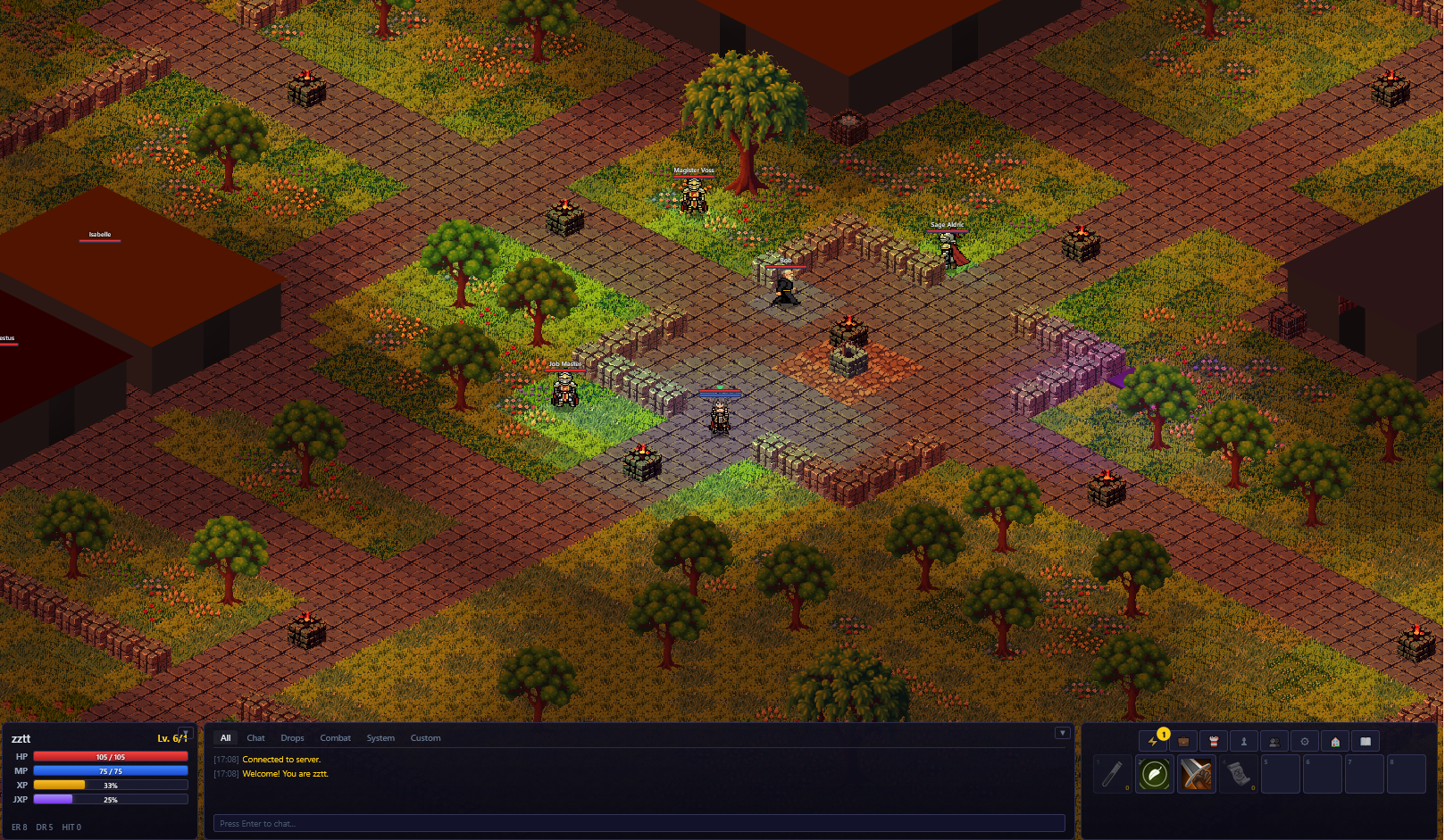
Click anywhere on the ground to move your character. Your character will pathfind around obstacles automatically. Use the scroll wheel to zoom in and out.
Chat
Press Enter to focus the chat box, type your message, and press Enter again to send. Press Escape to cancel.
Slash Commands
Type /help in chat to see all commands. Key commands:
- /w [name] [msg] — Whisper a player
- // [msg] — Reply to last whisper
- /trade [name] — Request a trade with a player
- /party create — Create a new party
- /party invite [name] — Invite a player to your party
- /party leave — Leave your party
- /p [msg] — Party chat
- /guild create [name] — Create a guild
- /guild invite [name] — Invite a player to your guild
- /guild leave — Leave your guild
- /g [msg] — Guild chat
- /friend add [name] — Add a friend
- /friend remove [name] — Remove a friend
- /summon — Summon your companion Pip
- /dismiss — Dismiss your companion
- /abandon — Abandon your housing plot
- /hat — Cycle cosmetic hats
- /resetaccount — Reset your character (permanent!)
Combat
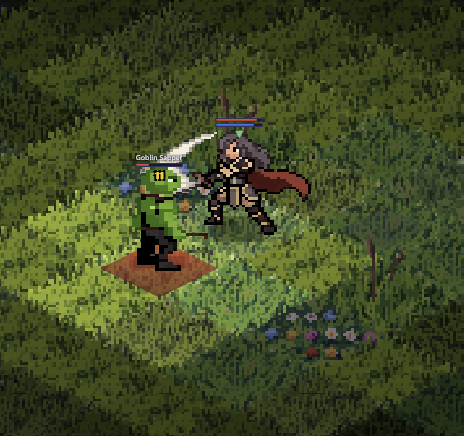
Click on a hostile NPC (red name) to begin auto-attacking. Your character will continue attacking until the target dies, you move away, or you press Escape.
How Hits Work
Every attack uses an opposed d20 roll. You roll 1d20 + your To Hit stat, and your target rolls 1d20 + their Evasion Rating. If your roll is strictly higher, you hit. Ties count as a miss.
Damage
When you hit, your damage equals your Attack minus the target's Damage Reduction (minimum 1). Higher Attack and Armor Pierce stats help you deal more damage to armored foes.
Death & Respawn
When your HP reaches 0, you die and respawn at the town spawn point after 3 seconds. At level 5 and above, you lose 10% of the XP needed for your current level. You can de-level from XP loss.
Line of Sight
Attacks are blocked by walls and buildings. You must have a clear line of sight to your target.
Progression
There are two parallel leveling tracks: Base Level and Job Level. XP from kills is split between both.
Base Level
- Maximum level: 20
- Each level grants +10 HP
- Bonus stats granted as you level: To Hit every 3 levels, Damage Reduction and Evasion every 4 levels, Bonus Damage every 5 levels
- XP formula: 50 × L × (L-1) per level
Job Level
- Novice max job level: 10
- Advanced classes max job level: 20
- Each job level grants 1 skill point
- Job XP formula: 10 × JL × (JL+1) per level
Job Classes
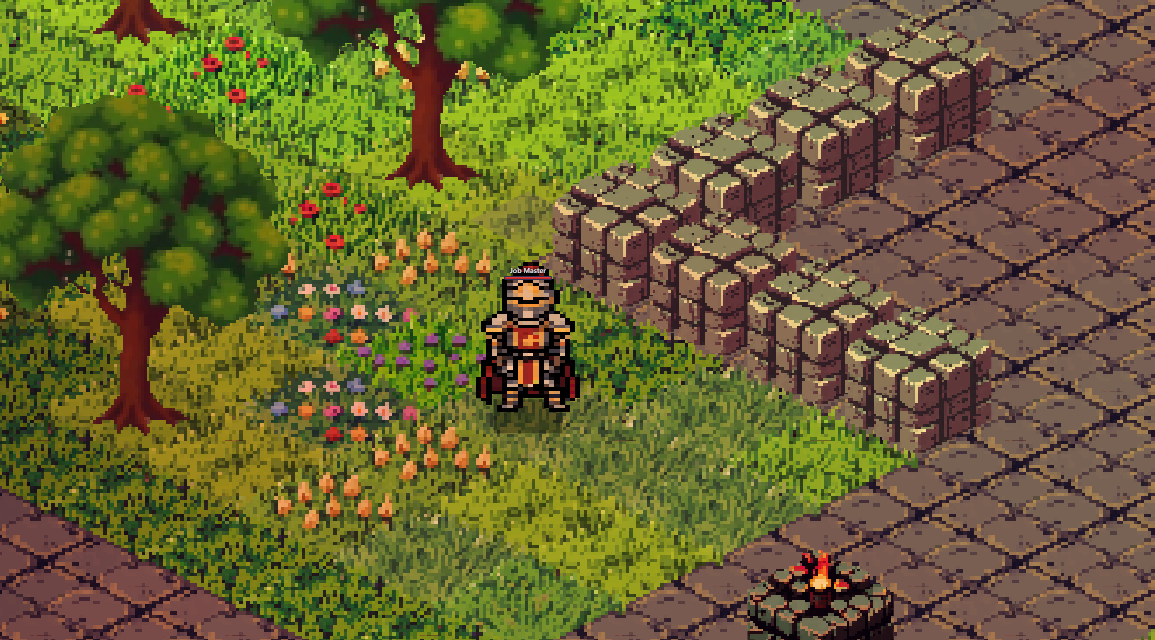
Everyone starts as a Novice. At Novice job level 10, you can advance to one of three specialized classes. You can switch between classes and level each independently.
Novice
The starting class. Learn fundamentals and earn your first skill points. Advance at job level 10.
Skills: Power Strike, Heal, Fireball, Weapon Mastery, Spell Mastery
Knight
Tank and AoE fighter. High defense, cleave attacks, and party protection skills.
Skills: Iron Skin, Precision, Charge, Cleave, Armor Break, Fortify, Iron Guard, Provoke
Assassin
Burst damage and combo specialist. Stack debuffs then finish with Assassinate for massive bonus damage.
Skills: Shadow Reflexes, Keen Edge, Venom Strike, Lacerate, Assassinate, Evade, Venom Mastery
Wizard
Ranged caster and healer. Burn with Immolate, freeze with Frost Nova, chain lightning across packs, and heal allies.
Skills: Arcane Focus, Immolate, Frost Nova, Arcane Burst, Chain Lightning, Mend, Frost Armor
Skills & MP
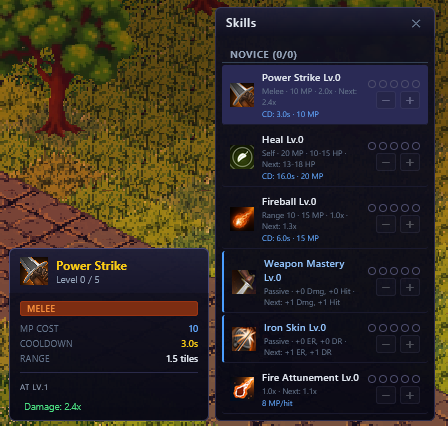
Skills are unlocked by spending skill points earned from job levels. Each skill can be leveled up to increase its power.
MP System
- Max MP: 50
- MP regenerates at 1 per second
- Active skills cost MP to use
Skill Types
- Active: Press the hotkey to use. Costs MP and has a cooldown (e.g., Power Strike, Fireball, Charge)
- Passive: Always active once learned. Provides permanent stat bonuses (e.g., Weapon Mastery, Iron Skin, Shadow Reflexes)
- Self-Buff: Temporarily boosts your stats (e.g., Fortify, Evade, Frost Armor)
Hotbar
The bottom bar has 8 slots mapped to keys 1 through 8. Drag skills or items from their panels onto hotbar slots to assign them. Press K to open the skills panel.
Items & Equipment
Equipment Slots
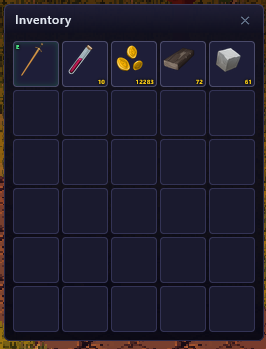
Your character has 8 equipment slots. Double-click an equippable item in your inventory to wear it.
Armor Tiers
- Leather — Light armor, evasion-focused
- Copper — Crafted medium armor, balanced defense
- Iron — Heavy craft-only armor, maximum defense
- Bone — Craft-only evasion armor with offensive stats
Consumables
- HP Potion — Restores health over time
- Mana Potion — Restores MP over time
- Haste Potion — Temporarily increases movement speed
- Teleport Home — Returns you to the town spawn point
- Strong HP / MP Potion — Brewed potions with stronger effects
- Evasion Elixir / Strength Tonic / Iron Skin Brew — Brewed stat-boost potions
Inventory & Shops
Inventory
- 30 slots total
- Equipped items remain in your inventory (they don't use separate slots)
- Stackable items (potions, scrolls, gold) stack automatically
- Right-click items for options (drop, split stack)
- Press I to toggle inventory
NPC Shops
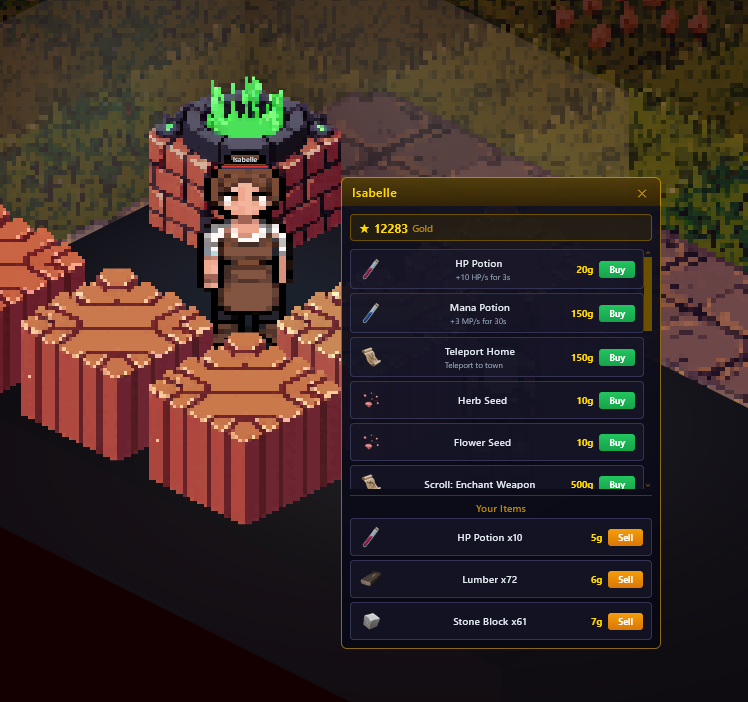
Talk to shop NPCs (like Isabelle in town) to open the shop interface. You can buy potions, scrolls, and other supplies.
- Sell items at 25% of their buy price
- Shop NPCs are marked with a special icon
Ground Loot
When monsters die, they drop loot on the ground. Click the loot to pick it up. Ground loot expires after 60 seconds. The player who dealt the most damage gets first pick.
Enchanting
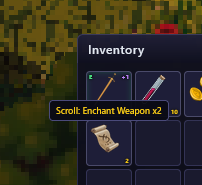
Enchant scrolls can upgrade your weapons and armor to make them more powerful. Each successful enchant adds +1 to the item's enhancement level.
Enchant Scrolls
- Weapon Enchant Scroll — Upgrades weapons (increases Attack)
- Armor Enchant Scroll — Upgrades armor (increases Damage Reduction)
- Greater Enchant Weapon / Armor — Can only be used on items +5 or below. Always succeeds, adding +1 to +3 enhancement levels at once. Obtained from boss drops or high-level scribing
Risk Levels
+1 to +6 — Safe. Enchant always succeeds. No risk of breaking.
+7 to +9 — Risky. 33% success, 67% the item is destroyed.
+10 and above — Very risky. 17% success, 17% nothing happens, 67% destroyed.
Gathering
Gathering nodes spawn throughout the world. Walk up to one and click it to start a channeled gather.
Node Types
- Herb Patch (green label) — Found in grassy areas. Yield herbs for brewing potions
- Copper Vein (purple label) — Found near rocky areas. Smelt into copper bars
- Iron Vein (purple label) — Rarer deposits. Smelt into iron bars for advanced gear
- Rock Pile — Yields stone blocks for crafting and construction
How It Works
- Click a node to start gathering — a progress bar appears above your character
- Stand still until the bar fills. Moving or being hit cancels the gather
- Each node has limited charges before it depletes and respawns later
Housing
Getting a Plot
Housing uses a deed system. Obtain a plot deed item, then use it from your inventory to claim land in the open world.
- 4 deed sizes — Small Plot Deed (5x5), Medium Plot Deed (8x8), Large Plot Deed (12x12), Estate Deed (16x16)
- Open-world placement — Build anywhere the terrain allows. Towns, spawners, portals, and roads are automatically blocked
- One plot per account — Choose your location wisely. The deed is consumed when you claim
Building Your House
Press H to open housing mode once you have a plot.
- Place a house — Choose size (3-10 tiles), wall/roof/floor colors, and door placement
- Furnish — Place props like tables, chairs, lights, and functional stations
- Name your house — Use /namehouse to set a name shown on the sign
- Access policy — Set your door to Locked, Friends, Guild, or Open
Functional Props
- Smelter — Smelt ores into metal bars
- Garden Plot — Plant seeds and harvest ingredients
- Brewing Station — Brew potions from ingredients
- Magic Chest — Personal storage (40 slots)
- Market Cart — Set up a player vendor to sell items while you're away
Player Vendors
Place a Market Cart prop in your house to run a shop. Stock items, set prices, and collect gold — even while offline.
Pocket Apartment
Overview
Every player has access to a free personal apartment — a private instanced room. Talk to Magister Voss in town to enter.
Your Room
- Size — 8×8 tile interior, fully walled
- Props — Place up to 20 furnishings using the H toolbar
- Cost — Props cost crafting materials only (no gold required)
- Exit — Walk to the portal on the south wall to return to town near Voss
Functional Stations
All functional props work inside your apartment just like in outdoor houses:
- Garden Plot — Plant seeds and harvest ingredients. Gardens grow in real time, even while you're away
- Smelter — Smelt ores into metal bars
- Brewing Station — Brew potions from ingredients
- Magic Chest — Access your personal storage (40 slots)
Crafting
Craft equipment, potions, and housing props from gathered materials.
How to Craft
- Use crafting stations in your house or apartment, or find a crafting NPC in the world
- Browse available recipes and check material requirements
- Materials are consumed on craft
What You Can Craft
- Equipment — Copper, Iron, Leather, and Bone tier weapons and armor
- Wands — Ranged magic weapons for casters
- Potions — HP, Mana, Haste, and stat-boost potions via Brewing Station
- Metal Bars — Smelt copper and iron ore at a Smelter
- Arcane Studies — Craft enchant scrolls and magical supplies
- Housing Props — Furniture, lighting, functional stations
Companion — Pip
Summon a loyal companion to fight alongside you.
Commands
- /summon — Summon Pip
- /dismiss — Dismiss Pip
Behavior Modes
- Passive — Follows you, won't fight
- Defensive — Attacks anything that attacks you (default)
- Aggressive — Attacks anything nearby
World & Dungeons
The Overworld
The main world features a town with shops, storage, and quest NPCs, surrounded by monster-filled wilderness. Explore to find resources, tougher enemies, and prime housing spots.
Day/Night Cycle
The world has a dynamic day/night cycle that affects lighting and atmosphere. Carry a torch or rely on world lights at night.
Dungeons
Step through portals (purple pads with floating labels) to enter dungeons. Dungeons have permanent darkness, tougher monsters, and unique atmosphere. Walk onto the portal to transition between zones.
Town NPCs
- Isabelle — Shop (potions, scrolls, supplies, deeds)
- Valentine — Storage vault (40 slots)
- Grolt — Smithing supplies shop (coal, nails, pickaxes)
- Bob — Respec NPC (reset skill points for gold)
- Elara — Item exchange
- Magister Voss — Pocket apartment access
- Job Master — Class advancement and switching
- Sage Aldric — Quest NPC
Controls
| Key | Action |
|---|---|
| Click | Move to tile / Attack enemy / Interact with NPC |
| Scroll | Zoom in/out |
| Enter | Focus chat |
| Escape | Close active panel / Cancel action |
| 1-8 | Use hotbar skill/item |
| I | Inventory |
| E | Equipment |
| U | Character Status |
| K | Skills |
| O | Social (Guild/Friends/Party) |
| J | Quest Log |
| N | Settings |
| M | Minimap (requires map item) |
| H | Housing |
| G | Game Guide |
| F | Toggle camera follow |
| B | Toggle build mode |
| R | Rotate (build mode) |
Social
Press O to open the Social panel with Guild, Friends, and Party tabs.
Parties
Guilds
Friends
Trading
Trade items and gold directly with another player. Both players must confirm before the trade completes.
Storage
Talk to Valentine (the Storage NPC) in town to access your personal vault — 40 slots of persistent storage separate from your inventory.